AlfaPOS
AlfaPOS
AlfaPOS
POS and Payments for Stripe
POS and Payments for Stripe
POS and Payments for Stripe
Link your Stripe account and begin accepting cards.
Get paid instantly, right on the spot.
Link your Stripe account and begin accepting cards.
Get paid instantly, right on the spot.
Link your Stripe account and begin accepting cards.
Get paid instantly, right on the spot.

Or scan to get the app
Or scan to get the app


Or scan to get the app
Or scan to get the app

The AlfaPOS app is not endorsed by, affiliated with, maintained, or sponsored by Stripe.
The Stripe name and logos are trademarks or service marks of Stripe, Inc. or its affiliates in the U.S. and other countries.
The AlfaPOS app is not endorsed by, affiliated with, maintained, or sponsored by Stripe.
The Stripe name and logos are trademarks or service marks of Stripe, Inc. or its affiliates in the U.S. and other countries.
The AlfaPOS app is not endorsed by, affiliated with, maintained, or sponsored by Stripe.
The Stripe name and logos are trademarks or service marks of Stripe, Inc. or its affiliates in the U.S. and other countries.
AlfaPOS is built for modern businesses
AlfaPOS is built for modern businesses
Contractors and tradesmen · Small retail · Event spaces and theaters · Health and Wellness · Professional services
Contractors and tradesmen · Small retail · Event spaces and theaters · Health and Wellness · Professional services
AlfaPOS is
powered by Stripe
AlfaPOS is
powered by Stripe
Great for existing Stripe users
AlfaPOS fits right into your current Stripe setup, letting you take in-person payments with card readers and Tap to Pay. All your online and in-person sales stay organized in one Stripe dashboard.
Great for existing Stripe users
AlfaPOS fits right into your current Stripe setup, letting you take in-person payments with card readers and Tap to Pay. All your online and in-person sales stay organized in one Stripe dashboard.
Great for existing Stripe users
AlfaPOS fits right into your current Stripe setup, letting you take in-person payments with card readers and Tap to Pay. All your online and in-person sales stay organized in one Stripe dashboard.
New to Stripe? Welcome!
Get access to industry-leading payment infrastructure with built-in fraud protection, next-day payouts, and transparent pay-as-you-go pricing with no hidden fees.
Perfect for growing businesses.
New to Stripe? Welcome!
Get access to industry-leading payment infrastructure with built-in fraud protection, next-day payouts, and transparent pay-as-you-go pricing with no hidden fees.
Perfect for growing businesses.
New to Stripe? Welcome!
Get access to industry-leading payment infrastructure with built-in fraud protection, next-day payouts, and transparent pay-as-you-go pricing with no hidden fees.
Perfect for growing businesses.
The AlfaPOS app is not endorsed by, affiliated with, maintained, or sponsored by Stripe.
The Stripe name and logos are trademarks or service marks of Stripe, Inc. or its affiliates in the U.S. and other countries.
Everything you need,
nothing you don’t
Everything you need,
nothing you don’t
Get paid anywhere, anytime

Accept all major card brands
Take payments from all major credit and debit cards including Visa, Masterard, AMEX, and Discover. Give your customers the convenience to pay their way.
Accept all major card brands
Take payments from all major credit and debit cards including Visa, Masterard, AMEX, and Discover. Give your customers the convenience to pay their way.
Accept all major card brands
Take payments from all major credit and debit cards including Visa, Masterard, AMEX, and Discover. Give your customers the convenience to pay their way.

Pre-authorize cards
Put a hold on the card before finalizing the sale. Verify the card is valid and has enough money to cover the transaction. If you're in hospitality or travel, use extended holds for up to 30 days.
Pre-authorize cards
Put a hold on the card before finalizing the sale. Verify the card is valid and has enough money to cover the transaction. If you're in hospitality or travel, use extended holds for up to 30 days.
Pre-authorize cards
Put a hold on the card before finalizing the sale. Verify the card is valid and has enough money to cover the transaction. If you're in hospitality or travel, use extended holds for up to 30 days.

Use in Kiosk mode
Turn your iPad or iPhone into a self-service checkout. Lock AlfaPOS to the checkout screen so customers can browse items and complete purchases without staff assistance. Perfect for unattended checkouts, pop-ups, and busy retail environments.
Currently available on iOS only.
Use in Kiosk mode
Turn your iPad or iPhone into a self-service checkout. Lock AlfaPOS to the checkout screen so customers can browse items and complete purchases without staff assistance. Perfect for unattended checkouts, pop-ups, and busy retail environments.
Currently available on iOS only.
Use in Kiosk mode
Turn your iPad or iPhone into a self-service checkout. Lock AlfaPOS to the checkout screen so customers can browse items and complete purchases without staff assistance. Perfect for unattended checkouts, pop-ups, and busy retail environments.
Currently available on iOS only.

Protect profits with Fee Saver
Decide how much of the fees customers will cover, and it's automatically added to each sale. Need flexibility? You can remove the fee charge for individual transactions.
Protect profits with Fee Saver
Decide how much of the fees customers will cover, and it's automatically added to each sale. Need flexibility? You can remove the fee charge for individual transactions.
Protect profits with Fee Saver
Decide how much of the fees customers will cover, and it's automatically added to each sale. Need flexibility? You can remove the fee charge for individual transactions.

Work offline, sync later
No internet? No problem. Complete transactions even when you're offline, and everything syncs automatically when you reconnect.
Currently available on iOS only.
Work offline, sync later
No internet? No problem. Complete transactions even when you're offline, and everything syncs automatically when you reconnect.
Currently available on iOS only.
Work offline, sync later
No internet? No problem. Complete transactions even when you're offline, and everything syncs automatically when you reconnect.
Currently available on iOS only.
Choose your payment device

Use with Bluetooth and Internet readers
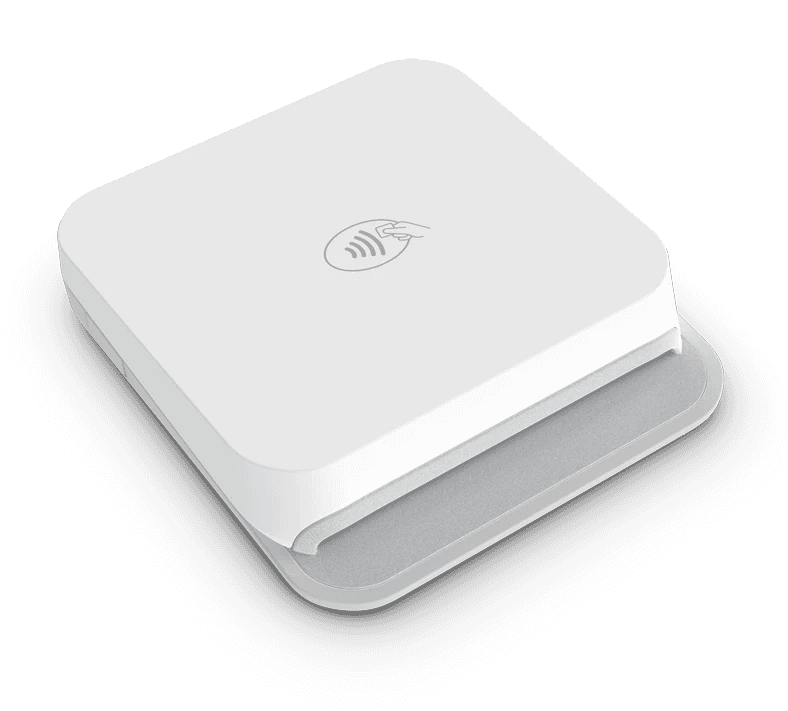
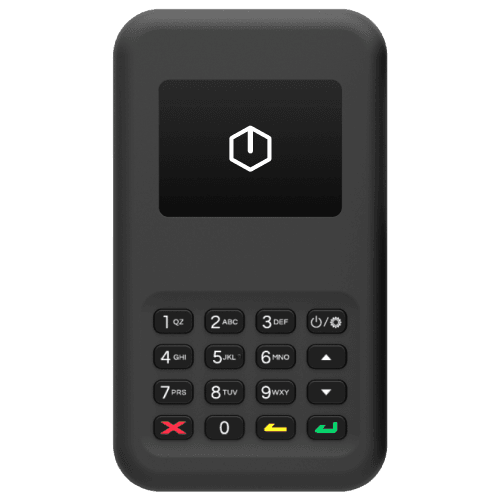
AlfaPOS works with all Stripe-supported Bluetooth and Internet card readers, including:
Internet readers are currently supported on iOS only.
Use with Bluetooth and Internet readers
AlfaPOS works with all Stripe-supported Bluetooth and Internet card readers, including:
Internet readers are currently supported on iOS only.

Use with Tap to Pay
Accept all types of in-person, contactless payments right on your iPhone or Android. No extra hardware needed.
Use with Tap to Pay
Accept all types of in-person, contactless payments right on your iPhone or Android. No extra hardware needed.
Manage access & payouts

Invite your staff
Invite your team without sharing your Stripe password. Set them up as Owners with full access or Staff Members who can only accept payments.
Invite your staff
Invite your team without sharing your Stripe password. Set them up as Owners with full access or Staff Members who can only accept payments.

Track payouts
Monitor your Stripe balance and see all your payouts in one place. Check upcoming deposits and review past transfers to your bank account.
Track payouts
Monitor your Stripe balance and see all your payouts in one place. Check upcoming deposits and review past transfers to your bank account.
Checkout your way

Collect tips
Let customers add tips with percentage or fixed-amount options. Enable Smart Tips to show the right options based on the bill size.
Tipping is supported on BBPOS WisePad 3 reader only.
Collect tips
Let customers add tips with percentage or fixed-amount options. Enable Smart Tips to show the right options based on the bill size.
Tipping is supported on BBPOS WisePad 3 reader only.

Collect taxes
Set up your tax rates once in the app settings. AlfaPOS automatically adds the right taxes to each sale, making checkout faster.
Collect taxes
Set up your tax rates once in the app settings. AlfaPOS automatically adds the right taxes to each sale, making checkout faster.
Build relationships & sales

Manage customers
Track customer information and their purchase history. Add customers to a sale before or after checkout and build your customer base.
Manage customers
Track customer information and their purchase history. Add customers to a sale before or after checkout and build your customer base.

Sell your products and subscriptions
Manage and sell your Stripe inventory and subscriptions right in the app. Keep your product catalog updated and complete sales with a few taps.
Subscriptions are currently supported on iOS only.
Sell your products and subscriptions
Manage and sell your Stripe inventory and subscriptions right in the app. Keep your product catalog updated and complete sales with a few taps.
Subscriptions are currently supported on iOS only.
Manage past sales

View past transactions
See all your sales with complete details. Check receipts and when funds will be available in your Stripe account.
View past transactions
See all your sales with complete details. Check receipts and when funds will be available in your Stripe account.

Issue refunds
Process full or partial refunds. Handle customer payment adjustments directly in the app without opening Stripe.
Issue refunds
Process full or partial refunds. Handle customer payment adjustments directly in the app without opening Stripe.
Choose your payment device
Use with Bluetooth and Internet readers
AlfaPOS works with all Stripe-supported Bluetooth and Internet card readers, including:
Use with Bluetooth and Internet readers
AlfaPOS works with all Stripe-supported Bluetooth and Internet card readers, including:
Use with Tap to Pay on iPhone
Accept all types of in-person, contactless payments right on your iPhone. No extra hardware needed.
Available in Australia, Canada, France, Germany, Italy, the Netherlands, the UK, and the US.
Use with Tap to Pay on iPhone
Accept all types of in-person, contactless payments right on your iPhone. No extra hardware needed.
Available in Australia, Canada, France, Germany, Italy, the Netherlands, the UK, and the US.
Manage access & payouts
Invite your staff
Invite your team without sharing your Stripe password. Set them up as Owners with full access or Staff Members who can only accept payments.
Invite your staff
Invite your team without sharing your Stripe password. Set them up as Owners with full access or Staff Members who can only accept payments.
Track payouts
Monitor your Stripe balance and see all your payouts in one place. Check upcoming deposits and review past transfers to your bank account.
Track payouts
Monitor your Stripe balance and see all your payouts in one place. Check upcoming deposits and review past transfers to your bank account.
Checkout your way
Collect tips
Let customers add tips with percentage or fixed-amount options. Enable Smart Tips to show the right options based on the bill size.
Tipping is supported on BBPOS WisePad 3 reader only.
Collect tips
Let customers add tips with percentage or fixed-amount options. Enable Smart Tips to show the right options based on the bill size.
Tipping is supported on BBPOS WisePad 3 reader only.
Collect taxes
Set up your tax rates once in the app settings. AlfaPOS automatically adds the right taxes to each sale, making checkout faster.
Collect taxes
Set up your tax rates once in the app settings. AlfaPOS automatically adds the right taxes to each sale, making checkout faster.
Build relationships & sales
Manage customers
Track customer information and their purchase history. Add customers to a sale before or after checkout and build your customer base.
Manage customers
Track customer information and their purchase history. Add customers to a sale before or after checkout and build your customer base.
Sell your products
Manage and sell your Stripe inventory right in the app. Keep your product catalog updated and complete sales with a few taps.
Sell your products
Manage and sell your Stripe inventory right in the app. Keep your product catalog updated and complete sales with a few taps.
Manage past sales
View past transactions
See all your sales with complete details. Check receipts and when funds will be available in your Stripe account.
View past transactions
See all your sales with complete details. Check receipts and when funds will be available in your Stripe account.
Issue refunds
Process full or partial refunds. Handle customer payment adjustments directly in the app without opening Stripe.
Issue refunds
Process full or partial refunds. Handle customer payment adjustments directly in the app without opening Stripe.
Maximize your profits with
1% fee per transaction
Maximize your profits with
1% fee per transaction
AlfaPOS charges 1% on top of the Stripe's regular fees. No minimums or hidden costs.
Shop readers
Shop readers
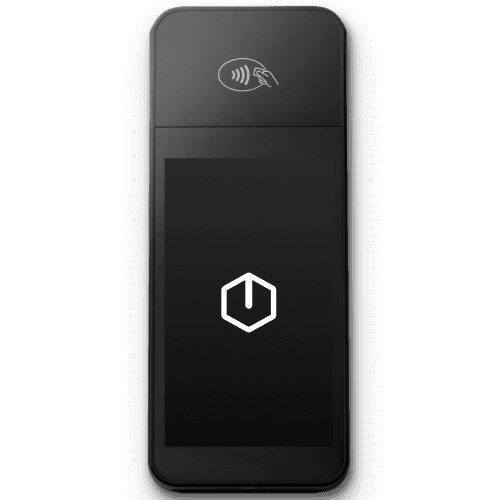
Order compatible card readers directly from Stripe
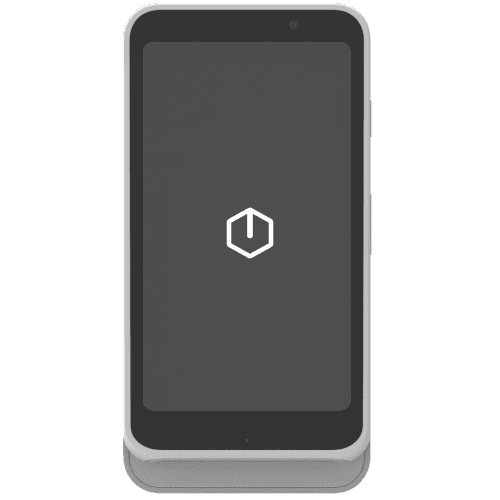
Stripe Reader S700
An Android-based Internet reader for countertop and handheld use.
FAQ
How to start using AlfaPOS?
How does the connection between AlfaPOS and my Stripe account work?
Do I need a card reader to use AlfaPOS?
Do I need a reader to collect tips?
Can AlfaPOS calculate and add taxes to the bill?
Can I charge my customers with an additional service fee?
How much will I pay for using AlfaPOS?
Where can I see the card charges I made and the commissions I paid?
When will I receive my first payout?
How to start using AlfaPOS?
How does the connection between AlfaPOS and my Stripe account work?
Do I need a card reader to use AlfaPOS?
Do I need a reader to collect tips?
Can AlfaPOS calculate and add taxes to the bill?
Can I charge my customers with an additional service fee?
How much will I pay for using AlfaPOS?
Where can I see the card charges I made and the commissions I paid?
When will I receive my first payout?
How to start using AlfaPOS?
How does the connection between AlfaPOS and my Stripe account work?
Do I need a card reader to use AlfaPOS?
Do I need a reader to collect tips?
Can AlfaPOS calculate and add taxes to the bill?
Can I charge my customers with an additional service fee?
How much will I pay for using AlfaPOS?
Where can I see the card charges I made and the commissions I paid?
When will I receive my first payout?
© 2025 55th Street Ventures
Proudly made in 🇨🇦
The AlfaPOS app is not endorsed by, affiliated with, maintained, or sponsored by Stripe.
The Stripe name and logos are trademarks or service marks of Stripe, Inc. or its affiliates in the U.S. and other countries.
© 2025 55th Street Ventures
Proudly made in 🇨🇦
The AlfaPOS app is not endorsed by, affiliated with, maintained, or sponsored by Stripe. The Stripe name and logos are trademarks or service marks of Stripe, Inc. or its affiliates in the U.S. and other countries.
© 2025 55th Street Ventures
Proudly made in 🇨🇦
The AlfaPOS app is not endorsed by, affiliated with, maintained, or sponsored by Stripe.
The Stripe name and logos are trademarks or service marks of Stripe, Inc. or its affiliates in the U.S. and other countries.